3 min readGame, Anki add-on, Self-initiated
Bookstore: an Anki add-on where your reviews build a bookshop
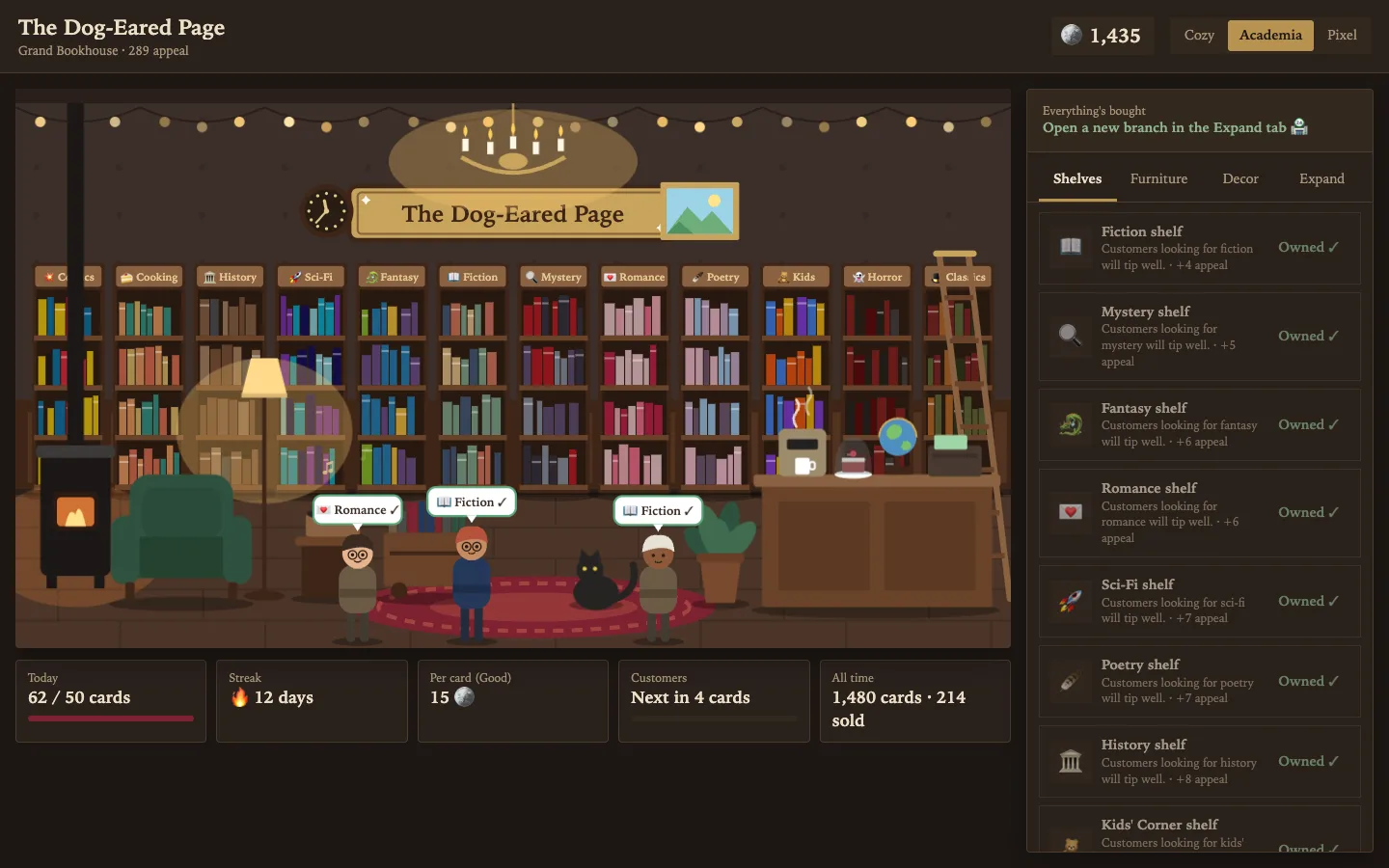
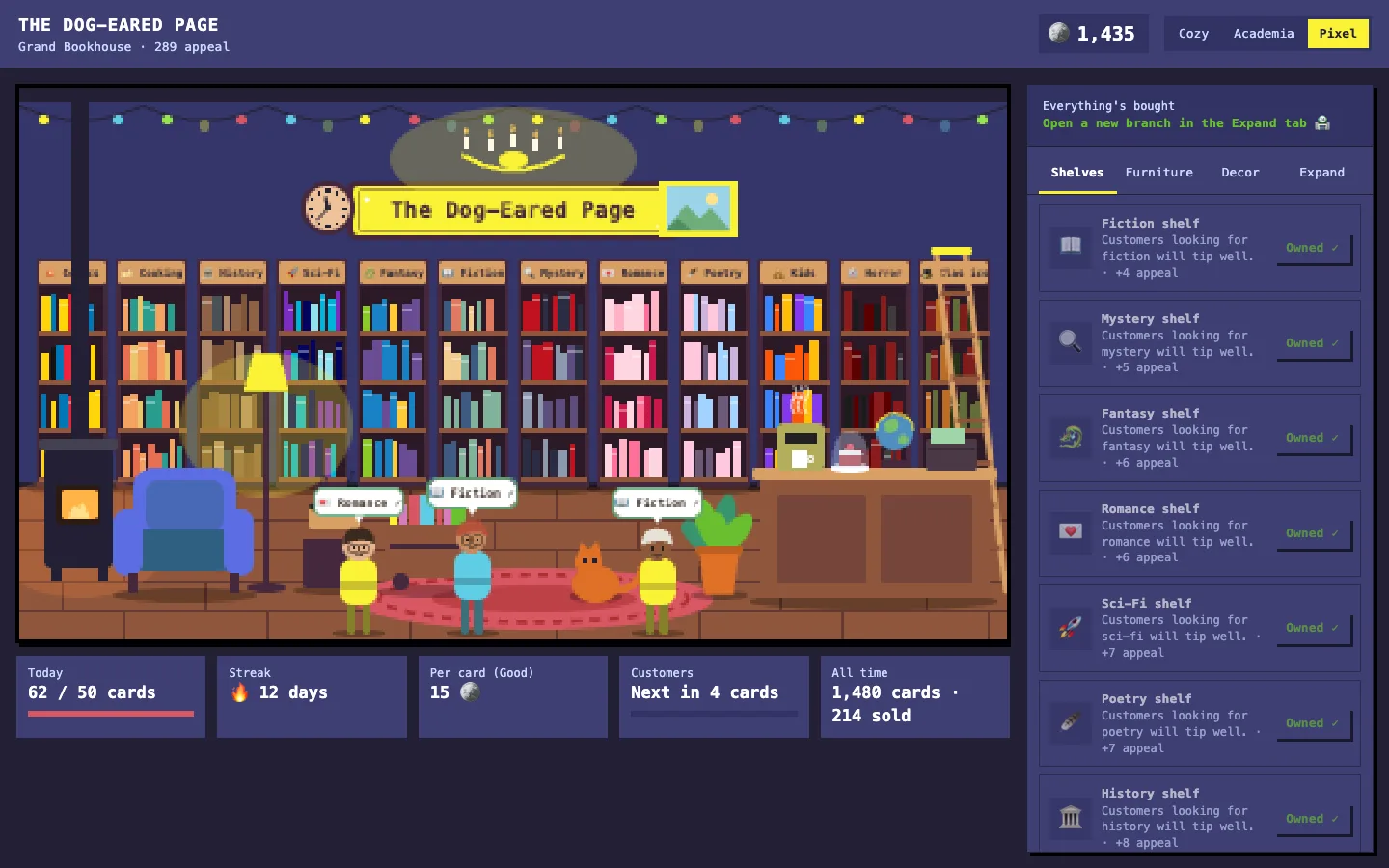
A free add-on for the Anki flashcard app. Every card you review earns coins; spend them on shelves, furniture and decor, serve the customers who walk in, and watch a one-shelf nook grow into a grand bookhouse — in a cozy, dark-academia or pixel-art look.
Free download
bookstore.ankiaddon · 23 KB · Anki 2.1.50 or newer, on Windows, Mac or Linux
Anki has add-ons that turn your daily reviews into a farm or a creature collection. This one turns them into a bookshop. It started from a simple request: a game where finishing flashcards lets you build a bookstore, with a few looks to switch between, that grows fast enough to feel it after a single session.
- genre shelves to stock
- 12
- pieces of furniture and decor
- 16
- store sizes, nook to grand bookhouse
- 5
- looks, switchable any time
- 3
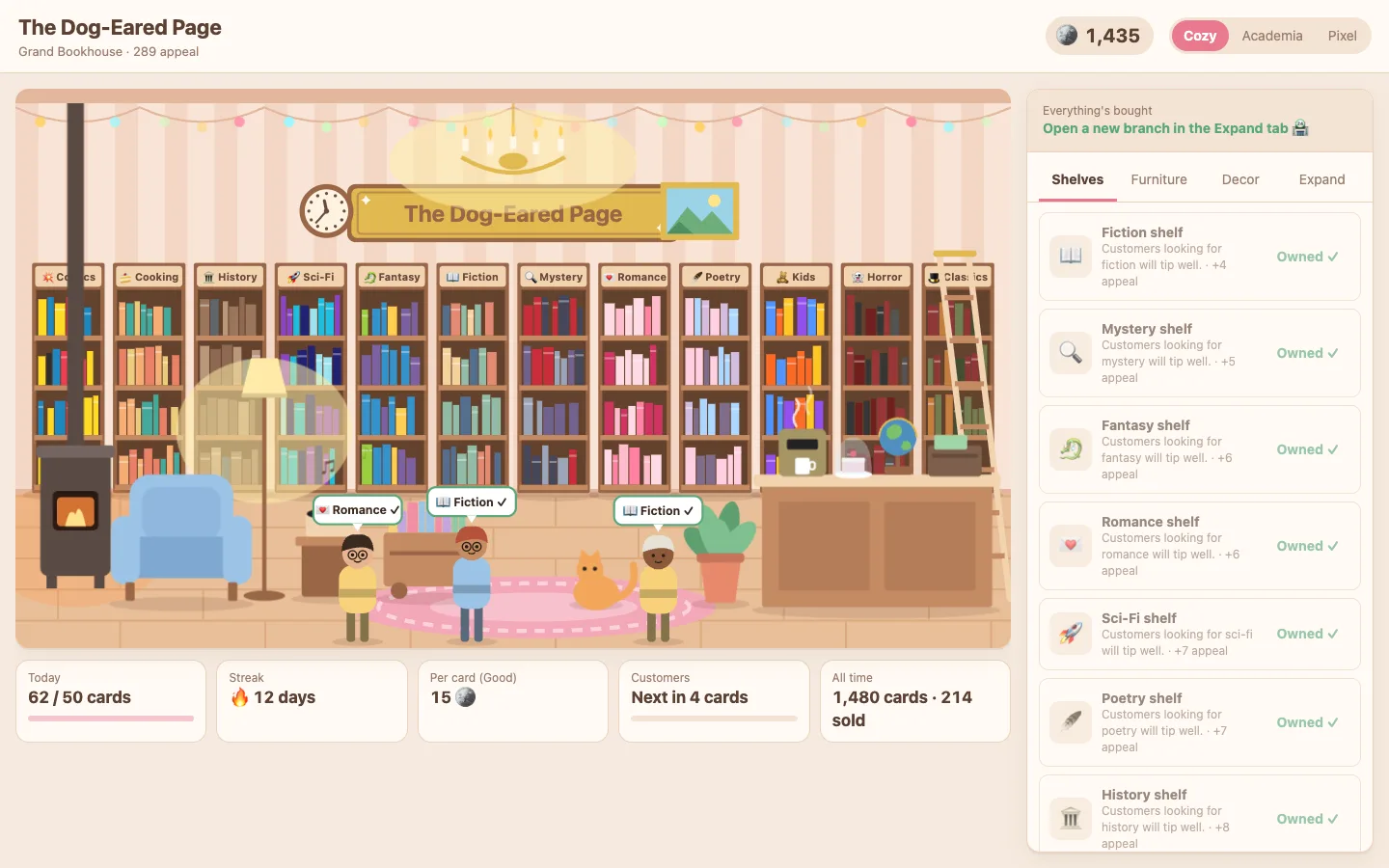
How it plays
- Every review earns coins: Again 2, Hard 3, Good 4, Easy 4. Again still pays, so there's never a reason to fib about a card.
- Every four cards a customer walks in, with a speech bubble naming the genre they want. Click them to sell a book: a big tip if you stock that genre, a small sale if you don't.
- Shelves, furniture and decor each make the shop more appealing, and appeal adds a little to every card and every tip.
- A streak bonus on your first review of the day, and a bonus for hitting a daily goal (50 cards by default, changeable in the add-on's settings).
- Once everything is bought, open a new branch: the shop starts over, but every coin is worth a quarter more from then on.
- Click the store's name to rename it; the sign over the door follows.
Your reviews, wherever you do them
The add-on doesn't count button presses. It reads Anki's own review log and credits every entry it hasn't seen yet, so reviews you do on your phone or on AnkiWeb are paid out the next time your computer syncs, and a toast says how much they earned. The first time it runs, only that day's reviews count, so nobody starts with a mountain of coins. Manual reschedules don't count; only real reviews do.
The game logic is plain Python with no Anki imports, and its tests answer real cards in a real Anki collection. The add-on was run inside Anki 26.9: real answers earned the right coins, brought customers in, and the shop saved between sessions. Your progress lives in the add-on's own folder, which Anki keeps when the add-on is updated.
Install it
- Download bookstore.ankiaddon from the button above.
- In Anki on your computer, open Tools → Add-ons → Install from file…, pick the file, and restart Anki. Double-clicking the file works too.
- A 📚 Bookstore button appears in Anki's top bar. Review some cards, then open your shop.
Known limits
- The shop opens only in desktop Anki. Phone apps can't run add-ons, but your phone reviews still count after a sync.
- If you undo a card and answer it again, both answers earn coins.